
Name-Based Case Searches
A name alone will not point you to the right Callahan County clerk. Start with the filing type or the paper that started the case. Felonies, major civil matters, family cases, and juvenile files sit with the District Clerk. County-level criminal, civil, and probate dockets sit with the County Clerk. Evictions, small claims, Class C matters, and tickets are different. Those often stay in a Justice or Municipal Court.
- Read the citation, notice, pleading, or order for the court name and cause number.
- Open the county-linked LGS gateway and choose Guest Login if that access path is available.
- Use only search controls actually shown after entry. The inspected public gateway did not expose verified name fields.
- Compare possible results by court, county, filing date, case category, and cause number.
- Call or visit the responsible clerk when the portal is unavailable, the name is common, or the case does not appear.
A mailed request works too. List the court, the name or case style, the approximate filing date, the cause number if you have it, and exactly what you want copied. The Callahan County District Clerk operates at 1257 FM 2047. It receives mail at 100 West Fourth Street, Suite 300, Baird. The office answers at 325-854-5825. The County Clerk works from the same physical site. It takes mail in Suite 104 and answers at 325-854-5815.
Route Callahan County Dockets First
Callahan County runs on a split-clerk model, so court ownership filters cases better than a broad name search. The District Clerk holds the 42nd District Court docket. The County Clerk holds the Constitutional County Court docket. JP1, JP3, JP4, plus the Baird, Clyde, and Cross Plains Municipal Courts each keep their own lower-court records.
| Case route | Custodian | Starting channel |
|---|---|---|
| 42nd District Court | District Clerk | LGS, phone, counter, or mail |
| County Court | County Clerk | LGS, phone, counter, or mail |
| Justice Court | Named JP office | Citation, precinct phone, or portal |
| Municipal Court | Named city court | Citation, city phone, or city payment route |
A payment page is not a docket. It may confirm a citation number or balance, yet it leaves out filings, settings, resets, orders, and disposition history. The court named on your paper still decides where the record lives.
Case Number Searches
A cause number is the strongest cross-check in any Callahan County docket search. It ties a result to one court file even when names are common. It also holds when a case style changes. Type it exactly as printed, keeping every letter, year segment, space, and hyphen. Treat CAUSE-NUMBER-AS-FILED as the safe model. Callahan County clerks do not publish one universal numbering pattern. No cause number? The clerk can still search from a precise case style, court, category, and approximate year. Texas Government Code Chapter 51 sets a $5 search fee. That charge applies when a docket number is not supplied. The state rule does not tell you what an online LGS lookup costs. Ask the portal or the clerk before ordering. Keep the number handy when you move from searching to ordering copies. Say whether you want the docket sheet, a named petition or complaint, a judgment, an order, or a certified copy. Each is a different product.
Inside Callahan County LGS Access
Both Callahan County clerk offices link to the LGS Online Records Search. The service opens with a landing route and a login screen. What a guest or a signed-in user can search stays unlisted. So treat no specific fields as promised. Name, cause-number, date, case-type, limit, pagination, export, maintenance, and update features are all unconfirmed. The county-linked entry screen shows the first view of the service.
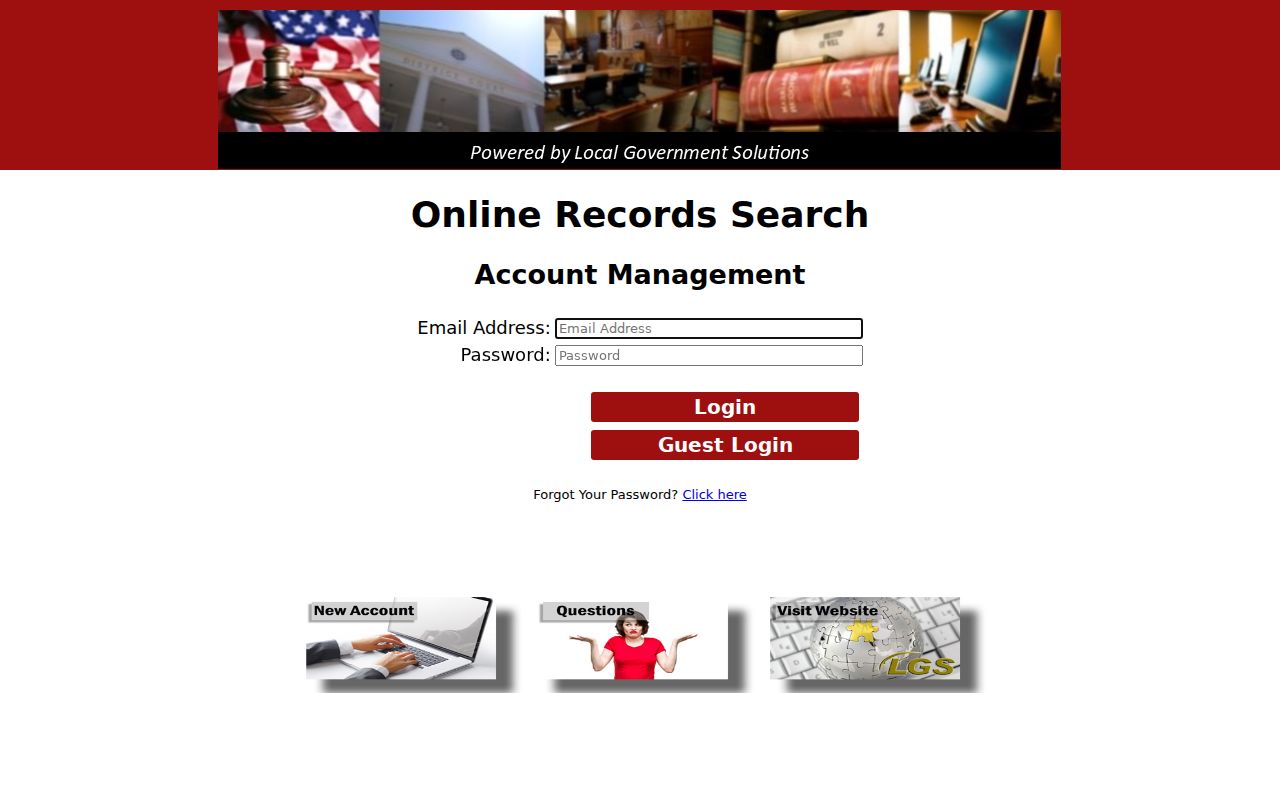
That official entry point makes LGS a legitimate Callahan County route. It does not promise that every docket or document is public online.
Case Search Results Explained
A full docket is a chronological register of case actions, not just a result row. Use these fields as a checklist whenever you open a result. They confirm what any display actually shows.
| Cause number | The best identifier for matching the result to the court file. |
|---|---|
| Court and county | The owner and jurisdiction, which must both be checked. |
| Filed date and case type | Clues that distinguish similar names and different proceedings. |
| Status or disposition | Labels such as active, disposed, dismissed, reset, sealed, or restricted, subject to clerk confirmation. |
| Docket events | Filings, service, settings, motions, orders, judgment, and appeal entries when public and available. |
| Document image | A linked filing, which is different from a docket line and from a certified copy. |
Financial lines may list costs, fines, restitution, balances, or satisfaction when the system shows them. A payment status is not a full disposition. Ask the clerk about odd abbreviations instead of guessing them.
Verified Callahan County Login Fields
The LGS login page carries a small set of account controls and a guest path. Those are access controls, not case-query fields. The distinction matters. It keeps anyone from promising that a public user can search Callahan County dockets by a specific name or date format.
| Visible label | Type | Meaning |
|---|---|---|
| Email Address | Text | Credential for an account login |
| Password | Password | Credential, not used for guest entry |
| Login | Button | Submits account credentials |
| Guest Login | Button | Visible public or guest path |
| Forgot Your Password? | Link | Account recovery |
| New Account and Questions | Links | Account and help routes |
The exact login page is shown here:
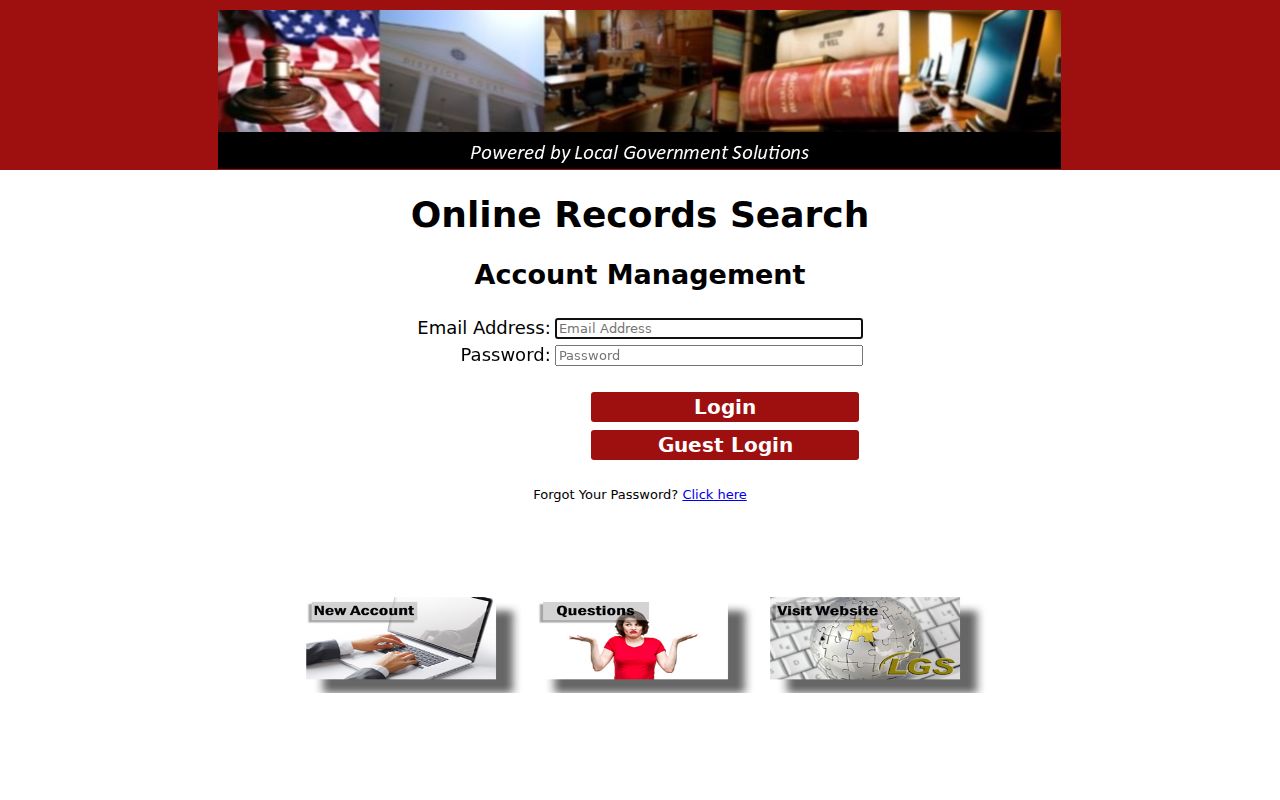
The same gateway offers guest access. What a guest can actually search after signing in only becomes clear once you try it or ask the clerk.
Two Ways to Search: County and State
Callahan County LGS and re:SearchTX serve different layers. Neither one replaces the clerk responsible for the record.
| Point | Callahan County LGS | re:SearchTX |
|---|---|---|
| Scope | County-linked District and County Clerk route | Statewide discovery across participating data |
| Observed access | Login and Guest Login visible | Landing portal restricted during inspection |
| Limits | Post-login fields and sample docket not captured | Official reports describe important criminal coverage exclusions |
| Best use | Known Callahan County court matter | Second-layer search for statewide cases, filings, or hearings |
| Official copy | Request from the responsible clerk | Purchased document terms may apply |
A statewide access-fee order sets registered or attorney document access at ten cents per page, with a one-dollar minimum per document, under its own terms. That order does not set the price of every public Callahan County docket view or an LGS download. Confirm current charges where you place the order.
Three Callahan County System Names
Callahan County dockets touch three systems with three separate jobs. LGS is the public records route the county links to from its own pages. iDocket is different. The Office of Court Administration's 2025 District Clerk verification calls it a local case-management system. That back-office label says nothing about any public iDocket search.
eFileTexas plays a third role. It is the state's electronic filing platform. Attorneys and parties submit filings there. Submitting is not searching, though. A filing can land inside a case-management system long before any public access layer shows it. Some restricted material never appears there at all.
Work in order instead. Identify the court, then run the official public route. Verify the docket with its custodian, then request the exact filed record. Each step does something the others cannot.
Missing Callahan County Docket Results
A docket search that comes back empty does not prove the case is gone. The portal could be down. The case may also live outside its reach. That could mean older paper files, microfilm, a different court, data that has not synced yet, sealed or expunged matters, juvenile cases, confidential records, or files the statewide coverage rules leave out. Any of those can hide a Callahan County case from view.
- Check the spelling, court, county, cause number, and filing year.
- Try the county LGS route and re:SearchTX as separate searches.
- Call the owning clerk with the cause number or a precise style and date.
- Visit the clerk's counter or send a specific written or mailed request for the docket sheet.
- Ask whether the file is archived, restricted, or available only as a redacted copy.
Older court records carry their own copy rules under Texas law. Microfilm and material held only electronically get special treatment. A request that spells out exactly what you need may skip a search step entirely. A vague one pulls in more staff work and more cost. Ask the clerk for the current fee and how long retrieval takes. Note: if a query turns up nothing, say the case was "not located in the public search". Never say Callahan County has no case at all.
Which Cases Stay Restricted
Public access to court records has firm legal limits. Texas Rule of Civil Procedure 76a lays out a demanding process before many civil court records can be sealed. Under Family Code Chapter 58, juvenile law-enforcement records can be confidential. Fine-only misdemeanors involving children, expunged matters, protected custody details, and confidential family records may also be withheld or narrowed in what the docket shows.
Judicial records follow court rules. Texas Government Code Section 552.0035 places the judiciary outside the ordinary executive-branch Public Information Act route.
Send a precise request to the court or clerk that holds the record and ask whether a redacted public version is available.
A restricted result can take several shapes. You might see a case shell with no documents, a restriction label, or a single public event. You might see nothing at all. If a cause number is visible, write it down. Then ask the clerk which document or field is restricted and which rule applies. Keep two cautions in mind: paying a fine does not undo confidentiality, and an online image is not a certified copy. When the docket shows a live setting, verify the date. Use the Callahan County court schedule channels before you count on it.